
 Furniture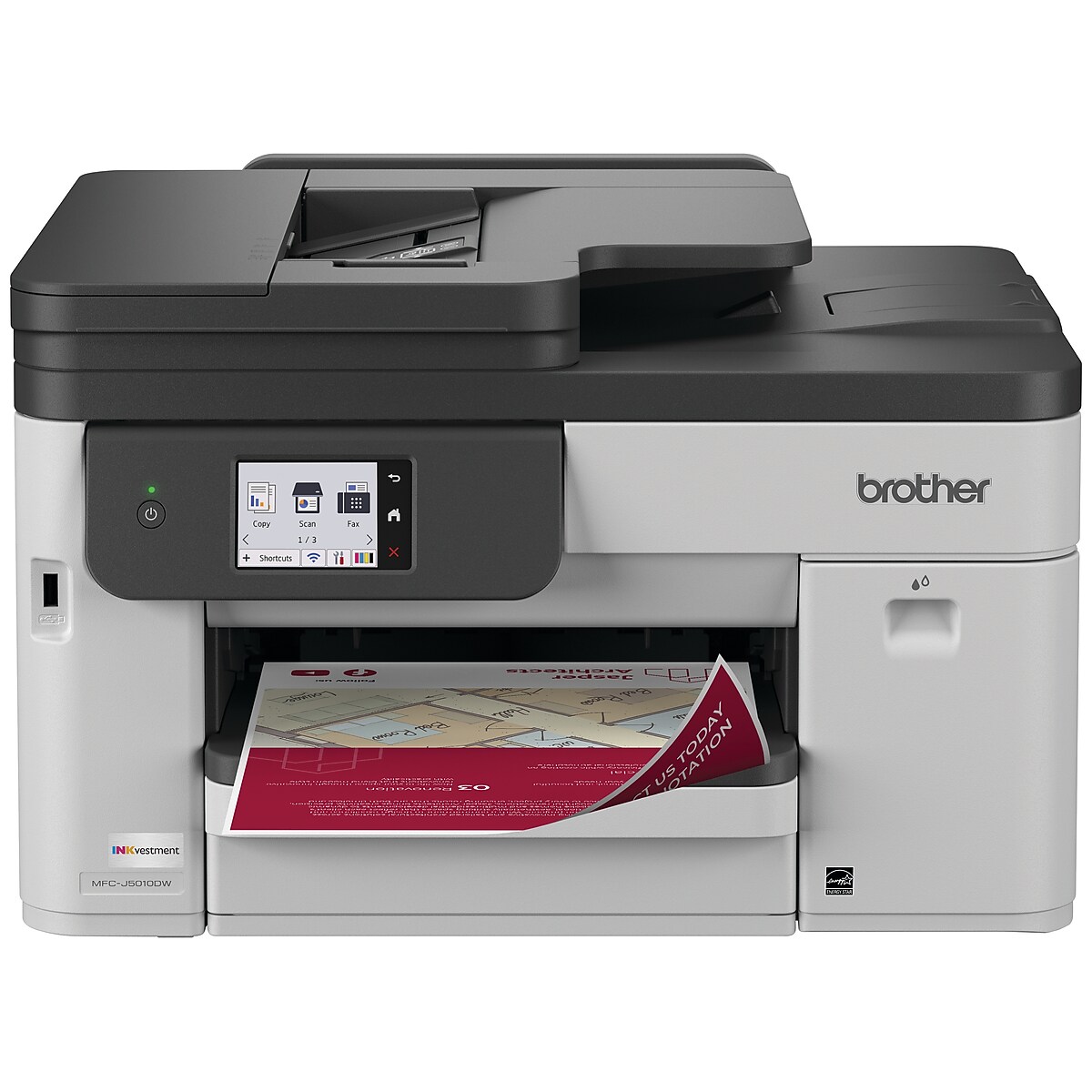
Brother INKvestment MFC-J5010DW Wireless Color All-In-One Inkjet Printer, Best for Home Office
$209.99
Advanced inkjet printers with elevated features and included ink value to simplify your workflow. The INKvestment 5010 Wireless Color Inkjet All-in-One Printer delivers maximum productivity with minimal space impact, making it a powerful workplace companion that doesn’t overwhelm your workspace. Wit
| Brand | Brother |
|---|
Out of stock
- Free shippingShipping Policy
- 30-day returnsReturn and Refund Policy
Advanced inkjet printers with elevated features and included ink value to simplify your workflow.
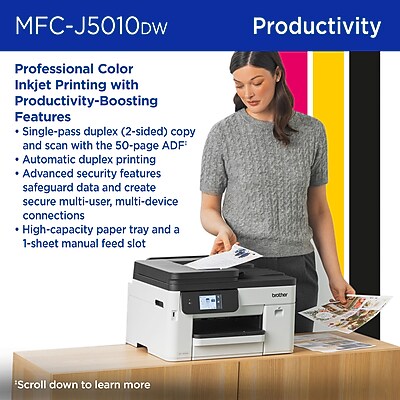
The INKvestment 5010 Wireless Color Inkjet All-in-One Printer delivers maximum productivity with minimal space impact, making it a powerful workplace companion that doesn’t overwhelm your workspace. With power-driven all-in-one capabilities, you can print, copy, scan, and fax from a single convenient printer. Deliver your best work with a 250-sheet paper tray(1), 1-sheet manual feed slot1, and a 50-page 2-sided automatic document feeder (ADF)(1). Plus, connect with convenient dual-band wireless(2), Gigabit Ethernet, and cloud connectivity(3), all navigable from a generously sized, easy-to-operate 2.7” color touchscreen. This color inkjet printer reliably outputs vibrant colors and bold, rich blacks, and Page Gauge(4) monitors your ink usage, so you know when you’re running low. When paired with the Brother Mobile Connect app, you can get started quickly with an intuitive step-by-step guided setup – plus, you’ll gain the ability to print from virtually anywhere on your mobile device(6).
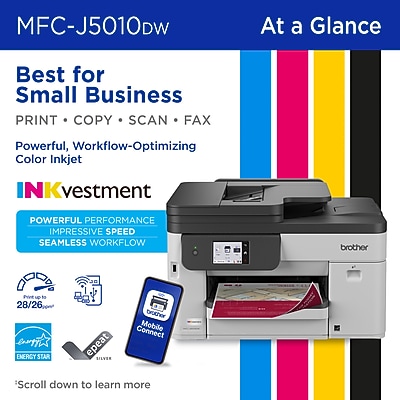
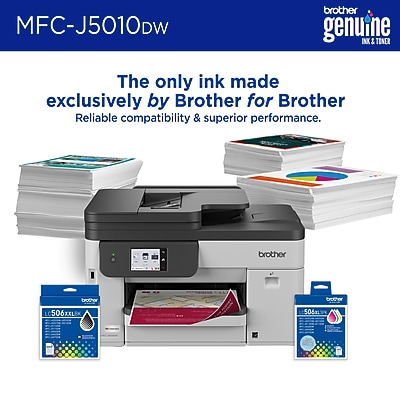
ALL-IN-ONE PRINTER: This multifunction printer makes it easy to print, copy, scan, and fax — all in one powerful device and includes one 1,800-page yield black ink cartridge and one 750-page yield cartridge for each color in cyan, yellow, and magenta in the box (6). PRODUCTIVITY-FOCUSED PRINTING FEATURES: A 250-sheet paper tray(1), 50-page single-pass duplex (2-sided) automatic document feeder (ADF)(1), and automatic duplex printing provide advanced media-handling capabilities on paper up to 8.5”x14”. SUPERIOR PRINTING: Engineered with MAXIDRIVE Technology with impressive print speeds of up to 28 pages per minute (ppm) in black and up to 26 ppm in color(7). Plus, our PerfectPrint Auto Detection System helps ensure reliable, consistent print quality for results you can be proud of. ADVANCED SECURITY FEATURES: Your business stays your business. Included security features safeguard your data and create secure connections. INNOVATIVE TECHNOLOGY: Enhance your workflow with Wi-Fi Direct, which allows you to print wirelessly even without an external network connection. CLOUD APP CONNECTIONS: Print from and scan to popular Cloud apps(3), including Google Drive, Dropbox, Box, OneDrive, and more, from an impressive 2.7” color touchscreen that enhances clarity and helps ensure effortless operation. WIRELESS, GIGABIT ETHERNET, AND USB CONNECTIVITY: Connect your way. Multiple users can interface with your printer on your wireless network(2), or you can connect directly via Gigabit Ethernet or USB. THE BROTHER MOBILE CONNECT APP: Put the power of printing at your fingertips. Go mobile with the simple-to-use Brother Mobile Connect app5, which delivers easy on-screen menu navigation for printing, copying, scanning, and device management from your mobile device. CUSTOMER SUPPORT: For customer service, visit us at www.brother-usa.com/support. BROTHER GENUINE INK: Reliable performance you can count on. Brother Genuine Ink is quality-tested to work seamlessly with your Brother printer. Choose Brother Genuine LC506 Ink, the only brand we recommend for use with your printer.
Disclaimers: (1) Maximum Capacity based on using 20lb. paper. (2) Wireless connection required. (3) Requires an internet connection and an account with desired service. (4) Page Gauge is an estimate for informational purposes only. For actual cartridge yield information refer to go.brother/pageyield. (5) Free Brother Mobile Connect App download, wireless connection and connection of an eligible printer with Brother are required. Compatibility may vary by device, operating system and country. (6) Approximate page yields in accordance with ISO/IEC 24711. For additional page yield information, see go.brother/pageyield. (7) Based on ISO/IEC 24734 (after first set of ISO test pages). For inkjet print speed methodology, please visit www.brother-usa.com/printspeed.
- ALL-IN-ONE PRINTER: This multifunction printer makes it easy to print, copy, scan, and fax — all in one powerful device and includes one 1,800-page yield black ink cartridge and one 750-page yield cartridge for each color in cyan, yellow, and magenta in the box (6).
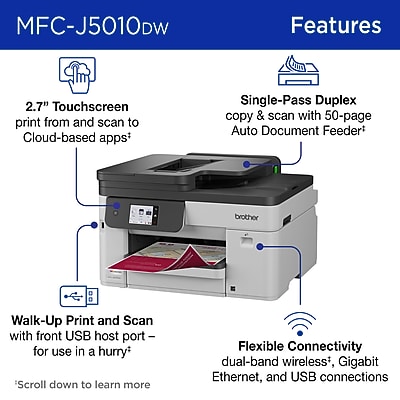
- PRODUCTIVITY-FOCUSED PRINTING FEATURES: A 250-sheet paper tray(1), 50-page single-pass duplex (2-sided) automatic document feeder (ADF)(1), and automatic duplex printing provide advanced media-handling capabilities on paper up to 8.5”x14”.
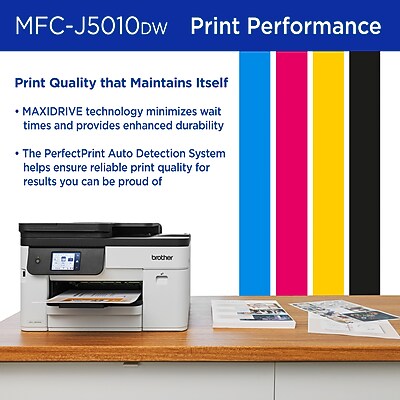
- SUPERIOR PRINTING: Engineered with MAXIDRIVE Technology with impressive print speeds of up to 28 pages per minute (ppm) in black and up to 26 ppm in color(7). Plus, our PerfectPrint Auto Detection System helps ensure reliable, consistent print quality for results you can be proud of.
- ADVANCED SECURITY FEATURES: Your business stays your business. Included security features safeguard your data and create secure connections.
- INNOVATIVE TECHNOLOGY: Enhance your workflow with Wi-Fi Direct, which allows you to print wirelessly even without an external network connection.
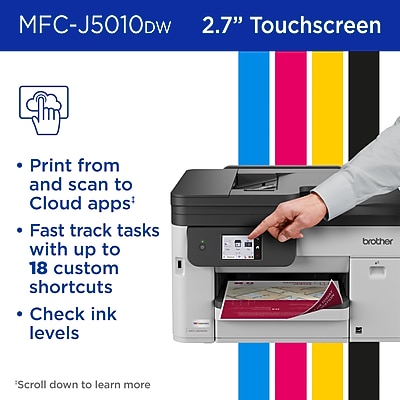
- CLOUD APP CONNECTIONS: Print from and scan to popular Cloud apps(3), including Google Drive, Dropbox, Box, OneDrive, and more, from an impressive 2.7” color touchscreen that enhances clarity and helps ensure effortless operation.
- WIRELESS, GIGABIT ETHERNET, AND USB CONNECTIVITY: Connect your way. Multiple users can interface with your printer on your wireless network(2), or you can connect directly via Gigabit Ethernet or USB.
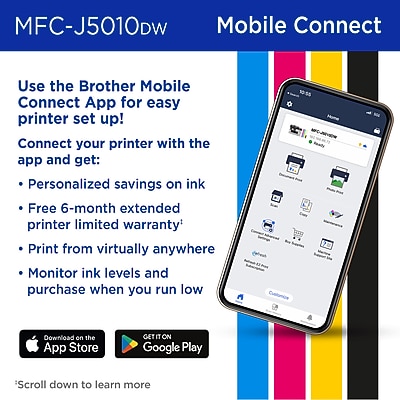
- THE BROTHER MOBILE CONNECT APP: Put the power of printing at your fingertips. Go mobile with the simple-to-use Brother Mobile Connect app5, which delivers easy on-screen menu navigation for printing, copying, scanning, and device management from your mobile device.
- CUSTOMER SUPPORT: For customer service, visit us at www.brother-usa.com/support.
- BROTHER GENUINE INK: Reliable performance you can count on. Brother Genuine Ink is quality-tested to work seamlessly with your Brother printer. Choose Brother Genuine LC506 Ink, the only brand we recommend for use with your printer.
Only logged in customers who have purchased this product may leave a review.
Reviews
There are no reviews yet.